

RBS ExcelTrend
Turn logged SQL Server data into shift reports
RBS ExcelTrend is the reporting application of RBS Report for Windows. It reads the rows that RBS Data Logger has stored in SQL Server and builds a report from your own Excel template.
The problem
Shift reports are copied together by hand from raw SQL Server rows
Solution
Pick the time window, check the rows in a preview, export to Excel, PDF or CSV
What ExcelTrend does
-
Reads your SQL Server data
Point a report at the SQL Server database and table that RBS Data Logger fills.
-
Uses your Excel template
Define a report once. Pick an Excel template and map headings and SQL columns to its cells.
-
Selects the rows you need
Filter by a time window or by other columns, then check the result in a preview.
-
Exports Excel, PDF and CSV
One report definition exports to Excel, PDF or CSV.
How it works
-
Step 1: Log the data
RBS Data Logger writes your OPC UA tags to a SQL Server table.
-
Step 2: Define the report
In the Configuration program, choose an Excel template and map the SQL columns to cells.
-
Step 3: Preview and export
In ExcelTrend, select the rows for the shift, check the preview and export the report.
Want the full walkthrough, from OPC UA tags to the report? How to log OPC UA data to SQL Server.
From SQL Server Rows to a Shift Report
Demo with simulated signals In our demo, RBS Data Logger had logged three simulated OPC UA signals to SQL Server. ExcelTrend builds the Line1 Shift Report from those rows.
-
Select the rows in ExcelTrend Reports
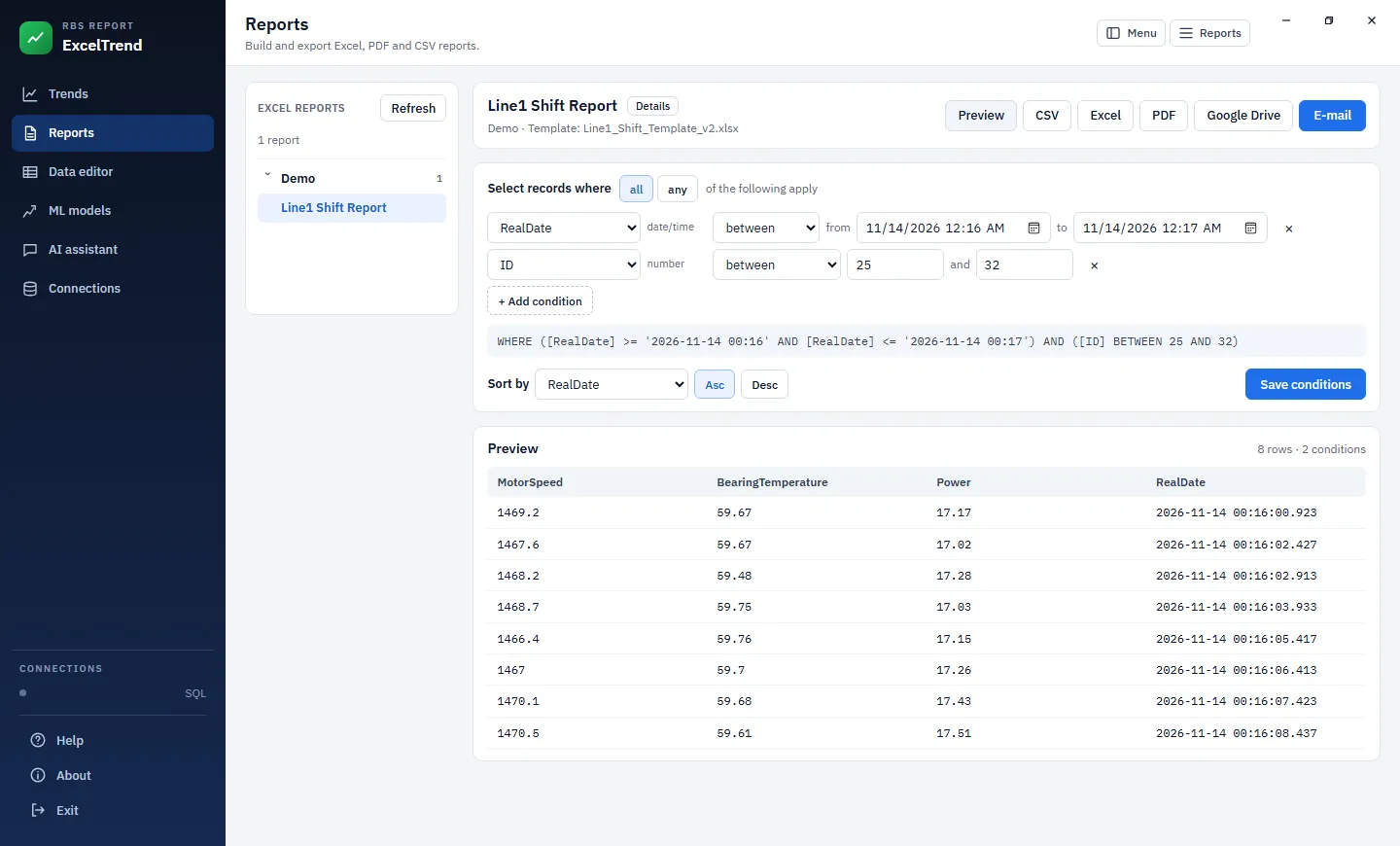
The Line1 Shift Report with a time window and an ID range as filters. The preview shows the eight matching rows.
-
Export the report
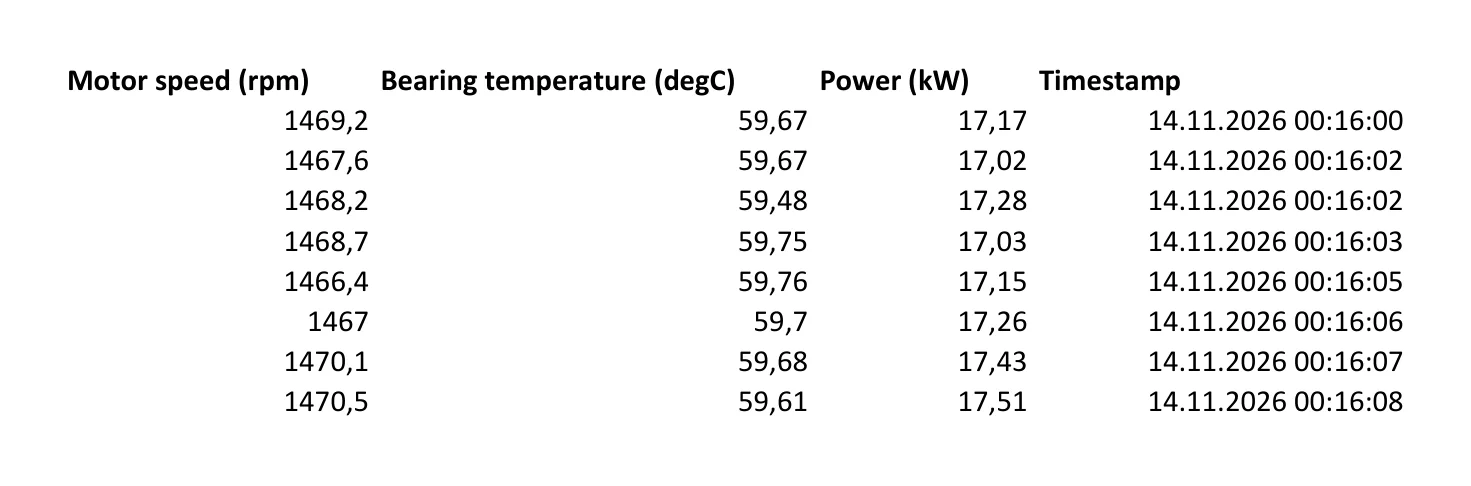
PDF export of the Excel report: the same eight samples.
Select an image to open it full size.
The rows come from RBS Data Logger.
Windows today, web version planned
-
Windows: available
RBS ExcelTrend is available on Windows as part of RBS Report. Request a demo to see it with your own data.
-
Web version: planned
We plan a browser-based report designer and report engine that will run without Microsoft Excel. It has not been released and has no release date.
Frequently Asked Questions
Does ExcelTrend work with RBS Data Logger?
Yes. In our demo, RBS Data Logger logged three simulated OPC UA signals to SQL Server, and ExcelTrend built the report from the same rows.
Which export formats are available?
You can export a report as Excel, PDF or CSV.
Is the web version available?
No. The browser-based version is planned and has no release date. The Windows product is available now.
Want to see ExcelTrend with your own data?
Request a demo to see the path from your SQL Server tables to a finished report.